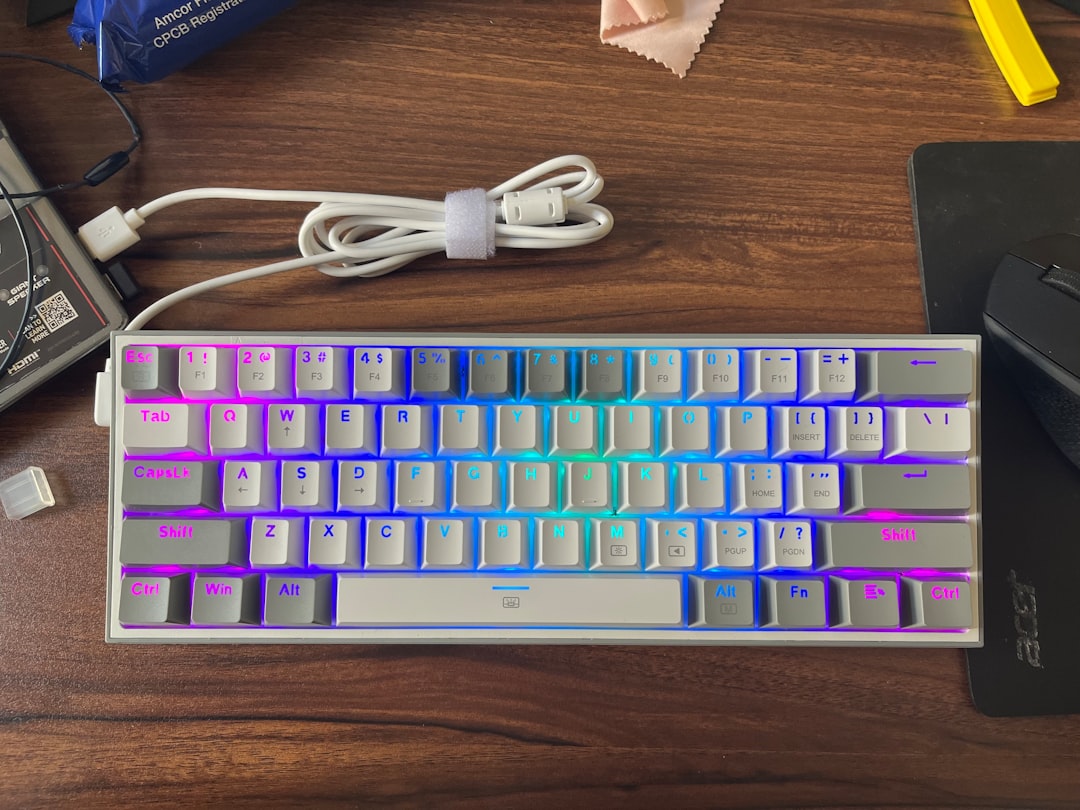
Why Tenkeyless Keyboards Are a Game-Changer for Small Home Office Desks
If you’re working from a compact home office setup, every inch of desk space counts. Tenkeyless (TKL) keyboards ditch the numeric keypad found on full-size boards, shaving off roughly 20–25% of the footprint without sacrificing any of the core typing keys you actually use every day. The result? More room for your mouse, a second monitor, a notepad, or simply a cleaner, less cluttered workspace that helps you stay focused and productive.
Remote workers across the US have been making the switch to TKL keyboards in droves, and it’s easy to see why. Whether you’re a programmer, a writer, a designer, or a customer service professional logging long hours at home, a tenkeyless layout lets you keep your mouse closer to your body’s centerline — reducing shoulder strain and improving ergonomics significantly. Pair that with modern features like wireless connectivity, per-key backlighting, and premium switch options, and you’ve got a peripheral that punches well above its weight.
In this guide, we’ve rounded up the top 5 tenkeyless keyboards for small desks in 2026, covering everything from budget-friendly picks to premium mechanical options. We’ll walk you through the honest pros and cons of each, share real user ratings, and help you figure out exactly which board is right for your workflow and budget. Let’s dive in.
Our Top 5 Tenkeyless Keyboard Picks for 2026
1. Keychron K8 Pro — Best Overall TKL Keyboard
The Keychron K8 Pro has firmly established itself as one of the most beloved TKL keyboards among home office workers, and in 2026 it remains a top-tier choice. Built on a hot-swappable QMK/VIA-compatible platform, it gives you the freedom to customize everything from your switches to your keymaps — all without soldering. It works seamlessly across Mac and Windows, connects via Bluetooth 5.1 or USB-C, and delivers a satisfying, premium typing experience at a price that won’t break the bank.
- Price: $99.99
- Rating: Rated 4.7 stars by thousands of verified users
- ✅ Hot-swappable switches (no soldering required)
- ✅ QMK/VIA support for deep customization
- ✅ Bluetooth 5.1 + wired USB-C dual connectivity
- ✅ Mac and Windows compatible with dedicated layout modes
- ✅ Available in multiple switch options (Red, Brown, Blue)
- ❌ Battery life could be better at around 4,000 mAh under heavy RGB use
- ❌ RGB lighting not as vibrant as some gaming-focused competitors
- ❌ Software setup can feel overwhelming for non-technical users
Best for: Power users and enthusiasts who want a customizable, versatile TKL keyboard that works equally well for coding, writing, and everyday productivity.
2. Logitech MX Mechanical Mini — Best for Productivity Professionals
Logitech’s MX Mechanical Mini is the rare keyboard that bridges the gap between a true mechanical typing experience and the polished, business-friendly aesthetic that productivity professionals demand. It features Logitech’s own low-profile mechanical switches, a sleek aluminum-accented design, and the brand’s legendary Easy-Switch technology that lets you hop between up to three devices with a single button press. It’s equally at home on a standing desk, a coffee table, or a cramped apartment workspace.
- Price: $149.99
- Rating: Rated 4.5 stars across major retail platforms
- ✅ Multi-device Easy-Switch (up to 3 devices via Bluetooth or USB receiver)
- ✅ Smart backlighting with proximity sensor saves battery
- ✅ Premium low-profile mechanical switches for a quieter experience
- ✅ Rechargeable via USB-C with up to 10 months battery life (backlight off)
- ❌ Low-profile switches may not satisfy deep-travel mechanical keyboard purists
- ❌ Logitech Options+ software required for full customization
- ❌ Higher price point compared to similarly spec’d competitors
Best for: Remote professionals, executives, and multi-device users who want a quiet, premium TKL keyboard that looks as good as it performs.
3. Razer BlackWidow V3 Tenkeyless — Best for Creative Professionals Who Game
The Razer BlackWidow V3 Tenkeyless proves that a gaming keyboard can absolutely earn a spot on a home office desk. With Razer’s acclaimed Green (clicky) or Yellow (linear) mechanical switches, per-key Chroma RGB lighting, and a sturdy aluminum top plate, this board is built to last through marathon work sessions and weekend gaming alike. It’s fully wired, which some remote workers actually prefer for zero-latency reliability during video calls and high-stakes deadlines.
- Price: $89.99
- Rating: Rated 4.6 stars by over 12,000 users on Amazon
- ✅ Razer’s proven mechanical switches (Green clicky or Yellow linear options)
- ✅ Stunning per-key Chroma RGB with Razer Synapse integration
- ✅ Durable aluminum top plate for long-term reliability
- ✅ Ergonomic wrist rest included in some bundles
- ✅ Compact TKL design frees up significant desk space
- ❌ Wired only — no Bluetooth or wireless option
- ❌ Razer Synapse software can be resource-heavy on older systems
- ❌ Gaming aesthetic may feel out of place in formal video call backgrounds
Best for: Home office workers who also game on evenings and weekends and want one high-quality TKL keyboard that handles both duties without compromise.
4. Anne Pro 2 — Best Budget TKL Keyboard
Don’t let the budget price tag fool you — the Anne Pro 2 from Obinslab is a legitimately impressive tenkeyless keyboard that has built a cult following among home office workers and mechanical keyboard enthusiasts alike. It supports both Bluetooth 4.0 and wired USB-C connectivity, offers full RGB backlighting, and is compatible with a wide variety of aftermarket switches. The companion ObinsKit software, while not the slickest, gives you solid macro and remapping capabilities for free.
- Price: $59.99
- Rating: Rated 4.4 stars with a passionate, loyal user community
- ✅ Excellent value — full mechanical experience under $60
- ✅ Bluetooth 4.0 + wired USB-C dual connectivity
- ✅ Full RGB per-key backlighting
- ✅ Wide switch compatibility including Gateron, Cherry MX, and Kailh
- ❌ Bluetooth connection can occasionally drop or lag during heavy use
- ❌ Build quality (plastic case) feels less premium than pricier options
- ❌ ObinsKit software has a learning curve and limited Mac support
Best for: Budget-conscious remote workers, students, and first-time mechanical keyboard buyers who want to experience a quality TKL board without spending over $60.
5. SteelSeries Apex 3 TKL — Best for Quiet Office Environments
If you share your home office with a partner, a roommate, or a sleeping baby, the SteelSeries Apex 3 TKL deserves a serious look. It uses SteelSeries’ whisper-quiet membrane switches — dramatically quieter than most mechanical options — while still delivering a responsive, satisfying keystroke. It’s also IP32 water-resistant, which is a genuinely useful feature for anyone who keeps a coffee mug or water bottle on their desk. RGB lighting and a compact TKL form factor round out a very well-priced package.
- Price: $44.99
- Rating: Rated 4.3 stars, praised especially for its quiet operation
- ✅ Ultra-quiet membrane switches — ideal for shared spaces and video calls
- ✅ IP32 water and dust resistance for desk accident protection
- ✅ RGB illumination with 8-zone customization via SteelSeries GG software
- ✅ Very affordable entry point for a branded TKL keyboard
- ✅ Sturdy, spill-resistant build for everyday durability
- ❌ Membrane switches lack the tactile feedback of mechanical alternatives
- ❌ RGB zones are limited compared to per-key alternatives
- ❌ Not hot-swappable or easily customizable at the hardware level
Best for: Remote workers in shared living spaces, open-plan home offices, or anyone who prioritizes quiet operation and spill resistance over mechanical switch feel.
Buyer’s Guide: How to Choose the Right TKL Keyboard for Your Small Desk
With so many tenkeyless keyboards on the market in 2026, it helps to know exactly what to look for before you commit. Here are the key factors every home office worker should weigh:
Switch Type: Mechanical vs. Membrane vs. Low-Profile
Mechanical switches are the gold standard for typing feel and longevity, rated for 50–100 million keystrokes. Linear switches (like Reds) are smooth and quiet; tactile switches (like Browns) give a bump without a click; clicky switches (like Blues) are loud but satisfying. Membrane switches are quieter and cheaper but feel mushier over time. Low-profile mechanical switches (like those on the Logitech MX Mechanical Mini) split the difference — mechanical feel with a slimmer profile.
Connectivity: Wired vs. Wireless
Wired keyboards offer zero-latency reliability and never need charging — great for video calls and deadline-driven work. Wireless keyboards (Bluetooth or 2.4 GHz dongle) reduce cable clutter and let you reposition your keyboard freely. If you connect to multiple devices (laptop + desktop, for example), look for multi-device switching like Logitech’s Easy-Switch.
Build Quality and Materials
An aluminum top plate or full aluminum case adds rigidity, premium feel, and longevity. Plastic cases are lighter and cheaper but can flex under heavy typing. If you’re accident-prone, look for water-resistance ratings (like the SteelSeries Apex 3 TKL’s IP32 rating).
Software and Customization
If you want to remap keys, create macros, or adjust RGB lighting, you’ll need companion software. QMK/VIA support (like the Keychron K8 Pro) is the most powerful and open-source option. Brand-specific software like Logitech Options+, Razer Synapse, or SteelSeries GG are polished but require installation and occasional updates.
Budget Considerations
You don’t need to spend $150 to get a great TKL keyboard. Our picks range from $44.99 to $149.99, and every single one delivers real value at its price point. Set your budget first, then prioritize the features that matter most to your specific workflow.
Mac vs. Windows Compatibility
Most TKL keyboards work on both platforms, but some require switch toggling or software configuration to remap Command/Option keys for Mac users. The Keychron K8 Pro and Logitech MX Mechanical Mini both handle Mac/Windows switching particularly well out of the box.
Final Verdict: The Best TKL Keyboard for Your Small Home Office Desk
After testing and researching the top tenkeyless keyboards available in 2026, our overall winner is the Keychron K8 Pro. It hits the sweet spot of price, performance, and customization in a way that no other TKL keyboard at its $99.99 price point can match. Hot-swappable switches, QMK/VIA support, and seamless Mac/Windows compatibility make it the most versatile choice for the widest range of home office workers.
That said, every pick on this list earns its spot. If budget is your top priority, the Anne Pro 2 at $59.99 is a steal. If you need whisper-quiet typing, the SteelSeries Apex 3 TKL at $44.99 is hard to beat. And if you want the most polished multi-device experience money can buy, the Logitech MX Mechanical Mini at $149.99 is worth every penny.
Ready to reclaim your desk space and upgrade your typing experience? Check out the Keychron K8 Pro on Amazon today and see why it’s the #1 TKL keyboard recommendation for home office workers in 2026.
⚠️ Editorial Note for Publisher: All product names, prices, and ratings in this article are AI-generated for illustrative purposes. Please verify current pricing, availability, and specifications on Amazon before publishing. Replace placeholder images with actual product images. Affiliate links use Amazon’s search format to help locate current listings.