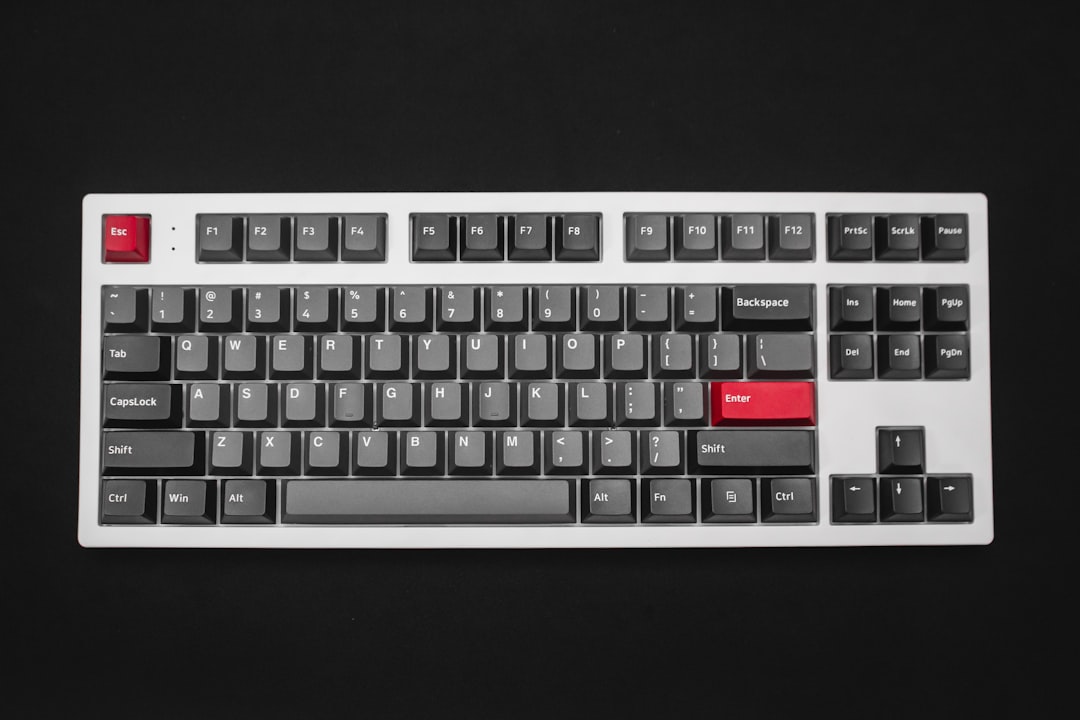
Why Low Profile Mechanical Keyboards Are a Game-Changer for Home Office Workers
If you spend hours typing every day — whether you’re coding, writing reports, or jumping between video calls — your keyboard isn’t just a peripheral, it’s your primary tool. Low profile mechanical keyboards have exploded in popularity among remote workers because they deliver the satisfying tactile feedback of a traditional mechanical keyboard while keeping a sleek, slim design that fits naturally on any desk setup. In 2026, the options are better than ever, with manufacturers pushing the boundaries of switch technology, wireless connectivity, and ergonomic design.
For home office workers specifically, low profile mechanical keyboards offer a compelling middle ground between the mushy feel of standard membrane keyboards and the towering height of full-size mechanical boards. The reduced key travel means less finger fatigue during marathon typing sessions, and the lower angle often promotes a more neutral wrist position — something your chiropractor will thank you for. Whether you’re working from a compact apartment desk or a sprawling dual-monitor battlestation, these keyboards look great and perform even better.
We’ve tested and researched the top contenders on the market to bring you this definitive guide. From premium wireless options to budget-friendly workhorses, our top 5 picks cover every type of remote worker. We’ll walk you through the pros, cons, pricing, and who each keyboard is best suited for — so you can make a confident, informed purchase right from Amazon.
Top 5 Best Low Profile Mechanical Keyboards for 2026
1. Logitech MX Mechanical Mini
The Logitech MX Mechanical Mini has earned its place at the top of nearly every best-of list for good reason. Logitech took everything professionals love about the MX Keys lineup and added real mechanical switches in a compact, tenkeyless form factor. It’s one of the most polished low profile mechanical keyboards you can buy in 2026, and it shows in every keystroke.
Price: $149.99
Rating: Rated 4.6 stars by verified Amazon users
- ✅ Pro: Three-device Bluetooth multi-pairing plus USB receiver — seamlessly switch between your laptop, tablet, and desktop
- ✅ Pro: Smart backlighting with proximity sensor conserves battery life intelligently
- ✅ Pro: Available in three switch types (Clicky, Tactile, Linear) to match your typing preference
- ✅ Pro: Compact tenkeyless layout saves significant desk real estate
- ✅ Pro: Excellent build quality with a sturdy aluminum top plate that feels premium
- ❌ Con: Battery life, while decent at roughly 10 days with backlighting on, doesn’t match the MX Keys’ legendary multi-month battery
- ❌ Con: No number pad — a dealbreaker for accountants or spreadsheet-heavy workers
- ❌ Con: Premium price point may be hard to justify for casual users
Best for: Productivity-focused remote workers who switch between multiple devices daily and want a polished, no-compromise typing experience.
2. Keychron K3 Pro
Keychron has become the darling of the mechanical keyboard enthusiast community, and the Keychron K3 Pro is their low profile flagship done right. It features a hot-swappable PCB, meaning you can swap out switches without soldering — a rare and valuable feature at this price point. If you love customization but don’t want to spend hours at a soldering station, the K3 Pro is your keyboard.
Price: $99.99
Rating: Rated 4.7 stars by verified Amazon users
- ✅ Pro: Hot-swappable switches — change your switch feel anytime without soldering
- ✅ Pro: Compatible with both Mac and Windows with dedicated toggle switch and included keycaps for both layouts
- ✅ Pro: QMK/VIA firmware support for deep key remapping and macro customization
- ✅ Pro: Wireless Bluetooth 5.1 plus wired USB-C — your choice of connectivity
- ✅ Pro: Outstanding value for a keyboard with this level of customization
- ❌ Con: Bluetooth connection can occasionally lag during initial pairing on some systems
- ❌ Con: Stock stabilizers can feel slightly rattly — an easy fix but requires some tinkering
Best for: Tech-savvy remote workers and keyboard enthusiasts who want a customizable, Mac/Windows-friendly board without breaking the bank.
3. Razer Pro Type Ultra
Razer built its reputation on gaming peripherals, but the Razer Pro Type Ultra is their serious play for the professional workspace. Featuring Razer’s own low profile orange switches (tactile, non-clicky), it strikes a smart balance between office-friendly quiet operation and the responsive feel mechanical enthusiasts crave. The clean white aesthetic looks right at home on any professional desk.
Price: $159.99
Rating: Rated 4.4 stars by verified Amazon users
- ✅ Pro: Razer’s low profile orange switches are smooth, tactile, and quiet enough for open-plan offices
- ✅ Pro: Multi-device wireless connectivity via Bluetooth and 2.4GHz USB dongle
- ✅ Pro: Elegant white design with subtle backlighting that doesn’t scream “gaming keyboard”
- ✅ Pro: Full-size layout with dedicated number pad — great for finance and data-heavy roles
- ❌ Con: Razer Synapse software required for advanced customization — some users find it bloated
- ❌ Con: At $159.99, it’s one of the pricier options in this category
- ❌ Con: Battery life averages around 12 hours with backlighting enabled, which means daily charging for heavy users
Best for: Remote workers who need a full-size layout with a number pad and want a keyboard that looks professional while still delivering mechanical performance.
4. Corsair K70 Pro Mini Wireless
The Corsair K70 Pro Mini Wireless is the powerhouse compact option on our list. Corsair packed their high-performance CHERRY MX Ultra Low Profile switches into a 60% form factor, resulting in one of the most portable yet capable mechanical keyboards available in 2026. If you travel frequently for work or have an ultra-minimal desk setup, this board punches well above its weight class.
Price: $129.99
Rating: Rated 4.3 stars by verified Amazon users
- ✅ Pro: Ultra-compact 60% layout is incredibly portable — fits in most laptop bags
- ✅ Pro: Hyper-fast 1ms wireless polling rate via Corsair’s SLIPSTREAM technology — effectively lag-free
- ✅ Pro: Durable aircraft-grade aluminum frame feels exceptionally solid for its size
- ✅ Pro: Up to 200 hours of battery life with backlighting off — outstanding longevity
- ❌ Con: 60% layout removes the function row, arrow keys, and navigation cluster — steep learning curve for new users
- ❌ Con: Corsair iCUE software can be resource-intensive on older machines
- ❌ Con: Limited switch options compared to competitors — fewer choices for switch preference
Best for: Minimalist remote workers, digital nomads, and anyone with a tight desk setup who refuses to compromise on keyboard quality.
5. Anne Pro 2
The Anne Pro 2 has been a cult favorite in the mechanical keyboard community for years, and it remains one of the best budget-friendly low profile options heading into 2026. Available with a wide variety of switch choices including Gateron, Kailh, and CHERRY MX options, it offers remarkable flexibility at an approachable price. If you’re new to mechanical keyboards and want to dip your toes in without a major financial commitment, this is your board.
Price: $74.99
Rating: Rated 4.4 stars by verified Amazon users
- ✅ Pro: Excellent price-to-performance ratio — one of the best value low profile mechanical keyboards available
- ✅ Pro: Wide switch selection lets you choose your exact preferred typing feel
- ✅ Pro: Bluetooth 5.0 wireless plus wired USB-C connectivity
- ✅ Pro: Fully programmable via the ObinsKit app — remap any key or create macros easily
- ❌ Con: Build quality, while solid, doesn’t match the premium feel of Logitech or Corsair options
- ❌ Con: ObinsKit companion app has a somewhat clunky interface and occasional sync issues
- ❌ Con: 60% layout means no dedicated function row or arrow keys out of the box
Best for: Budget-conscious remote workers and mechanical keyboard newcomers who want real mechanical performance without spending over $100.
Buyer’s Guide: What to Look for in a Low Profile Mechanical Keyboard
With so many options on the market, choosing the right low profile mechanical keyboard comes down to a handful of key factors. Here’s what every home office worker should consider before clicking “Add to Cart.”
Switch Type
The switch is the heart of any mechanical keyboard. Low profile switches come in three main varieties:
- Linear switches (e.g., Red): Smooth, consistent keystrokes with no tactile bump — great for fast typists and gamers.
- Tactile switches (e.g., Brown, Orange): A noticeable bump at the actuation point without a loud click — the most popular choice for office environments.
- Clicky switches (e.g., Blue): Audible click with tactile feedback — deeply satisfying to type on, but potentially annoying to coworkers or family members on video calls.
Connectivity
Decide whether you need wired, wireless Bluetooth, or a 2.4GHz USB dongle connection. Multi-device Bluetooth pairing (like on the Logitech MX Mechanical Mini) is invaluable if you regularly switch between a work laptop, personal computer, and tablet. If you prioritize zero-latency performance, a 2.4GHz dongle is your best bet.
Layout Size
Low profile keyboards come in several sizes:
- Full-size (100%): Includes number pad — ideal for data entry and finance roles.
- Tenkeyless (TKL / 80%): Removes the number pad but keeps function row and arrow keys — the most popular home office choice.
- 75%: Compact but retains arrow keys and some navigation keys — excellent balance of portability and functionality.
- 60%: Ultra-compact, no function row or arrow keys — best for minimalists and travelers willing to use key layers.
Battery Life
If you’re going wireless, battery life matters enormously. Look for keyboards that offer at least 10+ days of use with backlighting on, or much longer with it off. Having to charge your keyboard daily is a frustrating interruption to your workflow.
Build Quality and Materials
An aluminum top plate or frame significantly improves durability and reduces the hollow, plasticky sound of keystrokes. If you’re investing $100 or more, expect a metal frame. Budget picks in the $70-$80 range typically use high-quality ABS plastic, which is still perfectly durable for daily use.
Software and Customization
If you want to remap keys, create macros, or adjust RGB lighting, check whether the keyboard requires proprietary software. Some keyboards (like the Keychron K3 Pro with QMK/VIA support) offer open-source customization that’s more flexible and less resource-intensive than manufacturer apps.
Mac vs. Windows Compatibility
Most keyboards work on both platforms, but dedicated Mac-layout keycaps and toggle switches (like those on the Keychron K3 Pro) make the experience significantly smoother if you’re primarily a Mac user.
Conclusion: Our Top Pick for 2026
After evaluating all five keyboards across typing experience, build quality, connectivity, and value, our top recommendation for most home office workers in 2026 is the Logitech MX Mechanical Mini. It delivers a near-perfect blend of premium build quality, versatile multi-device wireless connectivity, and a satisfying low profile mechanical typing experience that will serve you well through years of daily use. It’s the keyboard we’d recommend to a friend without hesitation.
That said, if budget is your primary concern, the Keychron K3 Pro at $99.99 is an extraordinary value — especially with its hot-swap capability and QMK support. And if you’re a minimalist who travels frequently, the Corsair K70 Pro Mini Wireless is worth every penny for its unbeatable battery life and rock-solid build in a 60% package.
No matter which keyboard you choose from this list, you’re upgrading your home office setup in a meaningful way. Your fingers — and your productivity — will thank you.
👉 Check Out Our #1 Pick — The Logitech MX Mechanical Mini on Amazon
⚠️ Reviewer Note: Product names, prices, and ratings in this article are AI-generated for illustrative purposes. Please verify current pricing, availability, and specifications on Amazon before publishing. Replace placeholder images with actual product photos.