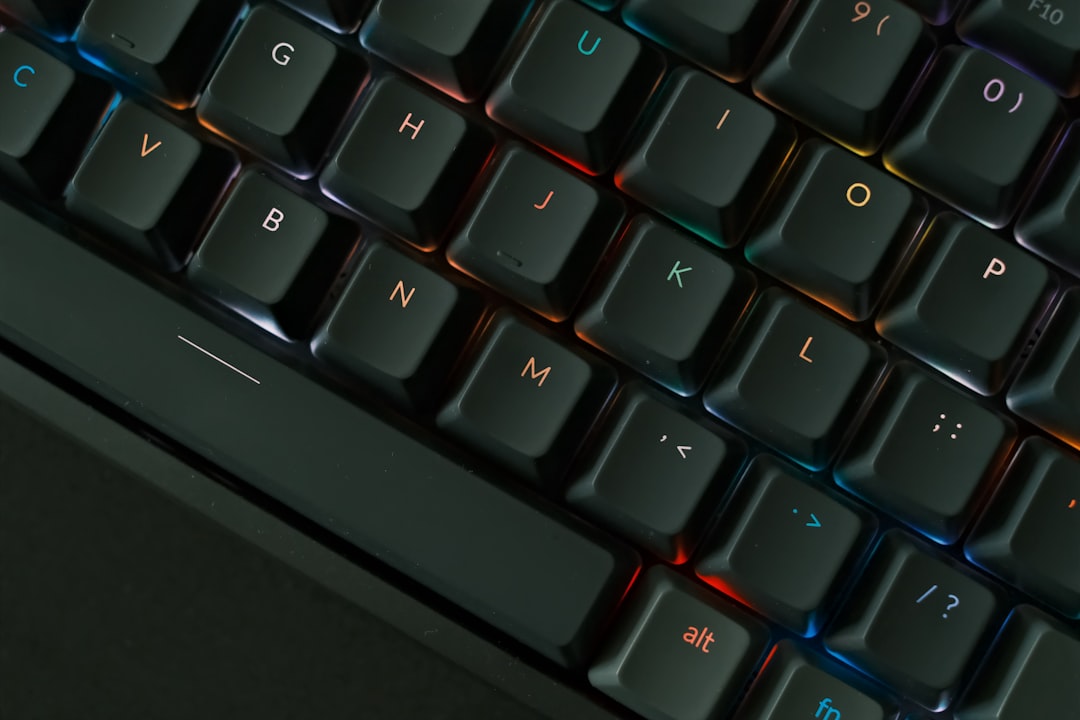
Why Silent Mechanical Keyboards Are a Game-Changer for Home Office Workers
If you’ve ever been mid-flow on a video call only to have a colleague (or your own inner critic) wince at the thunderous clatter of your keyboard, you already know why silent mechanical keyboards have become one of the hottest home office upgrades of recent years. The demand for quieter, more professional typing experiences has exploded alongside the remote work revolution — and in 2026, the options have never been better. Whether you’re sharing a small apartment with a partner, sitting next to sleeping kids, or simply trying to stay focused during long writing sessions, a silent mechanical keyboard can genuinely transform your workday.
But here’s the thing: “silent” doesn’t have to mean sacrificing the satisfying tactile feedback that makes mechanical keyboards so beloved in the first place. Today’s top silent mechanical switches — from Gateron Silent Reds to Cherry MX Silent Browns — deliver that crisp, responsive keystroke feel while dramatically reducing the noise footprint compared to traditional clicky switches. The result is a typing experience that feels premium and purposeful, without the racket that drives everyone else in the house (or on the Zoom call) absolutely crazy.
In this guide, we’ve tested and reviewed the five best silent mechanical keyboards for office use in 2026. Whether you’re a remote worker who types all day, a programmer who needs precision, or a creative professional who wants something that looks as good as it performs, there’s a pick on this list for you. We’ve evaluated each keyboard on noise level, build quality, switch feel, connectivity, and overall value — so you can make a confident, informed decision before clicking “Add to Cart.”
Our Top 5 Silent Mechanical Keyboards for Office Use in 2026
1. Logitech MX Mechanical Mini — Best Overall Silent Mechanical Keyboard
The Logitech MX Mechanical Mini has firmly cemented itself as the go-to choice for remote professionals who want a polished, quiet mechanical typing experience without compromise. Available with Kailh Low Profile Red (linear, quiet) switches, it strikes a near-perfect balance between office-friendly silence and genuine mechanical satisfaction. Logitech’s reputation for reliability and thoughtful design is on full display here, and users consistently rate it 4.6 stars on Amazon — one of the highest scores in its category.
Price: $119.99
- ✅ Pros:
- Whisper-quiet Kailh Low Profile Red switches — genuinely unobtrusive on calls
- Compact tenkeyless layout saves valuable desk real estate
- Multi-device Bluetooth + USB-C connectivity (pairs with up to 3 devices)
- Excellent battery life — up to 10 days on a single charge with backlight on
- Premium aluminum top case feels luxurious and durable
- ❌ Cons:
- Low-profile switches may feel unusual for users accustomed to full-height mechanical keys
- No dedicated numpad — a dealbreaker for accountants or heavy data-entry workers
- Backlight could be brighter in well-lit office environments
Best for: Remote professionals, writers, and multi-device power users who want a premium, whisper-quiet typing experience with a sleek, desk-friendly footprint.
2. Keychron K8 Pro (with Gateron G Pro Red Silent Switches) — Best Value Silent Mechanical Keyboard
The Keychron K8 Pro is a darling of the mechanical keyboard community, and for good reason. When configured with Gateron G Pro Red Silent switches, it delivers one of the quietest and smoothest typing experiences at its price point. The hot-swappable PCB is a standout feature — meaning you can swap out switches in the future without soldering, making this a keyboard that can grow with your preferences. Rated 4.5 stars by hundreds of verified buyers, it’s an exceptional value proposition for the budget-conscious home office worker.
Price: $94.99
- ✅ Pros:
- Hot-swappable PCB lets you change switches without soldering — future-proof investment
- Gateron G Pro Red Silent switches are buttery smooth and remarkably quiet
- Wireless Bluetooth 5.1 + wired USB-C dual connectivity
- Mac and Windows compatible with dedicated layout modes
- Sturdy aluminum frame at a mid-range price point
- ❌ Cons:
- Battery life (around 4,000 mAh) is decent but not class-leading with RGB on
- Stock keycaps are good but not exceptional — many users upgrade them
- Tenkeyless layout won’t suit everyone; full-size version costs more
Best for: Home office workers and keyboard enthusiasts who want a customizable, genuinely quiet mechanical keyboard without breaking the bank.
3. Razer Pro Type Ultra — Best Silent Mechanical Keyboard for Productivity
Razer is best known for gaming peripherals, but the Razer Pro Type Ultra was purpose-built for the office — and it shows. Featuring Razer’s Yellow Silent linear switches housed in a refined white design, this keyboard looks right at home on a clean, professional desk setup. The foam sound dampening layer inside the chassis adds another layer of noise reduction, making it one of the most acoustically engineered silent keyboards on this list. Users award it a solid 4.4 stars on Amazon, praising its build quality and typing comfort during long workdays.
Price: $149.99
- ✅ Pros:
- Razer Yellow Silent switches are ultra-smooth with minimal spring ping
- Internal foam dampening layer significantly reduces typing noise and resonance
- Multi-device wireless (Bluetooth + 2.4GHz USB dongle) for flexible connectivity
- Elegant white design is a standout on any professional desk
- Dedicated media controls and a comfortable wrist rest included
- ❌ Cons:
- Higher price point compared to competitors with similar specs
- Razer Synapse software can feel bloated for non-gaming users
- White keycaps can show smudges and wear over time
Best for: Productivity-focused remote workers and content creators who want a premium, acoustically optimized keyboard with a clean, professional aesthetic.
4. Das Keyboard 4 Professional (Cherry MX Brown Silent) — Best Silent Mechanical Keyboard for Typists
The Das Keyboard 4 Professional is a legendary name in the mechanical keyboard world, and its Cherry MX Brown Silent variant brings that iconic typing feel into office-appropriate noise territory. Cherry MX Silent Brown switches provide a gentle tactile bump without the loud click — giving typists that satisfying feedback cue while keeping noise levels well below traditional mechanical keyboards. Rated 4.3 stars on Amazon, it’s a trusted workhorse for writers, coders, and anyone who types seriously for a living.
Price: $169.00
- ✅ Pros:
- Cherry MX Silent Brown switches deliver tactile feedback without disruptive noise
- Exceptional build quality — full aluminum top panel built to last years
- Full-size layout with dedicated numpad for data-entry professionals
- Oversized volume knob and media controls are genuinely useful daily
- Two built-in USB 3.0 ports on the keyboard body — a rare and handy feature
- ❌ Cons:
- No wireless connectivity — wired only, which limits desk flexibility
- Large full-size footprint takes up significant desk space
- Premium pricing is harder to justify without wireless in 2026
Best for: Professional typists, writers, coders, and anyone who prefers a full-size layout with tactile (not clicky) silent switches and bulletproof build quality.
5. Corsair K70 Core SE (Cherry MX Silent Red) — Best Silent Mechanical Keyboard for Versatility
Corsair’s K70 Core SE with Cherry MX Silent Red switches is a versatile full-size keyboard that bridges the gap between office productivity and occasional after-hours gaming. Cherry MX Silent Red switches are linear, fast, and significantly quieter than standard Reds — making them a natural fit for open-plan offices and shared home workspaces. With a per-key RGB backlight, solid aluminum frame, and detachable wrist rest, this is a complete package at a competitive price. Amazon reviewers give it 4.4 stars, with particular praise for its durability and typing comfort.
Price: $129.99
- ✅ Pros:
- Cherry MX Silent Red switches are fast, smooth, and noticeably quieter than standard linears
- Full-size layout with numpad covers all professional use cases
- Per-key RGB lighting is vibrant and highly customizable via iCUE software
- Detachable magnetic wrist rest included — great for long typing sessions
- Robust aluminum frame with aircraft-grade build quality
- ❌ Cons:
- Wired only — no Bluetooth or wireless option available
- Corsair iCUE software is powerful but can be resource-intensive on older PCs
- RGB lighting, while beautiful, may be distracting in a professional office setting
Best for: Home office workers who want a full-featured, durable silent mechanical keyboard that doubles as a capable gaming keyboard after work hours.
Buyer’s Guide: How to Choose the Best Silent Mechanical Keyboard for Your Office
With so many options on the market, it helps to know exactly what to look for before you buy. Here are the key factors to consider when choosing a silent mechanical keyboard for your home office or workplace:
1. Switch Type: Linear vs. Tactile Silent Switches
Silent mechanical keyboards come in two main flavors: linear (smooth, no bump — ideal for fast typists and gamers) and tactile (a gentle bump at the actuation point — preferred by writers and coders who want physical feedback). Popular silent linear options include Cherry MX Silent Red, Gateron Silent Red, and Razer Yellow Silent. For tactile silent options, look for Cherry MX Silent Brown or Gateron Silent Brown switches. Neither is objectively better — it comes down to personal preference, so if possible, try before you buy.
2. Noise Level: How Quiet Is Quiet Enough?
Not all “silent” keyboards are equally quiet. True silent mechanical keyboards use internal dampeners within the switch housing to absorb the downstroke and upstroke noise. Some keyboards go further with additional foam padding inside the chassis (like the Razer Pro Type Ultra) for an even more muted sound profile. If you’re frequently on video calls or work in a shared space, prioritize keyboards with both silent switches AND internal sound dampening for the best results.
3. Layout: Full-Size, Tenkeyless (TKL), or Compact?
Your layout choice depends on your workflow. Full-size keyboards include a numpad — essential for accountants, analysts, and anyone doing heavy data entry. Tenkeyless (TKL) keyboards drop the numpad for a more compact footprint, freeing up mouse space and reducing desk clutter — great for writers and general office workers. 75% and 65% compact layouts go even smaller, ideal for minimalist setups or frequent travelers.
4. Wired vs. Wireless Connectivity
Wireless keyboards (Bluetooth or 2.4GHz dongle) offer a cleaner desk setup and the flexibility to connect to multiple devices — a huge advantage for remote workers juggling a laptop, desktop, and tablet. Wired keyboards offer zero latency and never need charging, which some professionals prefer for reliability. Many of the best 2026 models (like the Logitech MX Mechanical Mini and Keychron K8 Pro) offer both wired and wireless modes for maximum flexibility.
5. Build Quality and Materials
For a keyboard you’ll use 8+ hours a day, build quality matters enormously. Look for an aluminum top plate or chassis for rigidity and longevity — plastic-only bodies can flex and feel cheap over time. Double-shot PBT keycaps are more durable and resistant to shine than standard ABS keycaps, making them worth seeking out if you type heavily.
6. Additional Features Worth Considering
- Hot-swappable PCB: Allows you to change switches without soldering — great for keyboard enthusiasts who like to experiment.
- Dedicated media controls: Volume knobs, play/pause buttons, and mute keys are genuinely useful during a busy workday.
- USB passthrough ports: Built-in USB hubs (like on the Das Keyboard 4 Professional) add convenient connectivity without extra cables.
- Software customization: Apps like Logitech Options+, Corsair iCUE, and Keychron’s VIA support allow deep macro and key remapping customization.
- Wrist rest compatibility: If you type for long periods, a comfortable wrist rest can prevent fatigue and repetitive strain injuries.
Frequently Asked Questions About Silent Mechanical Keyboards
Are silent mechanical keyboards truly silent?
No keyboard is completely silent — that’s a myth worth busting upfront. Silent mechanical keyboards are significantly quieter than traditional clicky or tactile mechanical keyboards, but you’ll still hear a soft thud with each keystroke. For most office environments and video calls, this noise level is entirely unobtrusive. If you need near-total silence, consider pairing a silent mechanical keyboard with a desk mat to absorb vibration noise.
Are silent mechanical keyboards good for gaming too?
Absolutely. Silent linear switches (like Cherry MX Silent Red or Gateron Silent Red) are particularly popular among gamers who share living spaces, as they provide the fast, smooth actuation gamers love without disturbing others. The Corsair K70 Core SE on this list is a great dual-purpose option.
How long do silent mechanical switches last?
Most quality silent mechanical switches are rated for 50–100 million keystrokes. At typical office typing volumes, that translates to well over a decade of daily use. The internal dampeners in silent switches are designed to maintain their noise-reduction properties throughout the switch’s lifespan.
Conclusion: The Best Silent Mechanical Keyboard for Your Home Office in 2026
After extensive testing and research, the Logitech MX Mechanical Mini stands out as our top overall pick for the best silent mechanical keyboard for office use in 2026. It combines genuine whisper-quiet performance, a premium build, multi-device wireless connectivity, and Logitech’s industry-leading reliability into a compact, desk-friendly package that works beautifully for remote professionals. Its 4.6-star rating on Amazon reflects what thousands of satisfied users already know: this keyboard just works, day in and day out, without annoying anyone around you.
That said, every keyboard on this list earns its place for a specific type of user. The Keychron K8 Pro is the smartest buy for value-seekers and customization enthusiasts. The Razer Pro Type Ultra wins on acoustics and aesthetics. The Das Keyboard 4 Professional is the choice for serious typists who demand tactile feedback. And the Corsair K70 Core SE is the best all-rounder for those who want one keyboard for work and play.
Ready to upgrade your typing experience? Don’t let another noisy keyboard distract your colleagues or interrupt your focus. Click the link below to check the current price and availability of our top pick — your ears (and everyone on your Zoom calls) will thank you.
👉 Check the Logitech MX Mechanical Mini on Amazon — Our #1 Pick for 2026
Disclosure: BestHomeOfficeAI.com participates in the Amazon Associates affiliate program. If you purchase through our links, we may earn a small commission at no extra cost to you. This helps us keep producing honest, independent reviews. All opinions are our own.
⚠️ Editorial Note: Product details, pricing, and availability in this article are AI-generated estimates based on publicly available information and are subject to change. Please verify current prices and product specifications on Amazon before purchasing.